Creative Filters style
35mm Film photo filter
Give your photo a 35mm Film mood with a grade that reshapes light and colour, not just a tint on top.
1 credit per image
Try Creative Filters on your photo
Choose a photo to continue. Sign in when you're ready to generate.
 Style preview
About the 35mm Film look
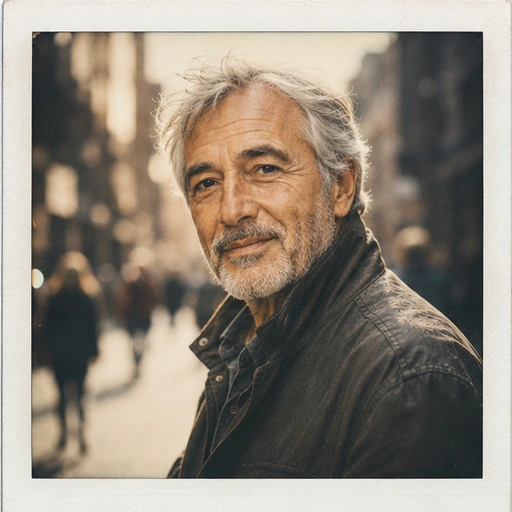
Fine organic grain, gentle halation, slightly lifted blacks and warm natural skin tones, like real colour film.
Creative Filters regrade colour, contrast, light and grain into distinct photographic looks, without altering what is in the picture. Built for anyone who wants a consistent, eye-catching style.
Tip for the best result
Filters change mood, not content. Start from a well-exposed photo for the richest result.


See Creative Filters in action
A real before and after made with Creative Filters. Your photo gets the same treatment, in the 35mm Film style.
How to get the 35mm Film look
- Step 1
Upload a clear photo, or take one with your webcam.
- Step 2
Choose “35mm Film” in the style grid.
- Step 3
Press Generate, compare before and after, then download.
More Creative Filters styles
Each style has its own look. Open one to see what it does.










Questions about Creative Filters
- Does the filter change the content?
- No. Only colour, contrast, light quality and grain change; people and objects stay exactly as they are.
- Can I create a custom look?
- Yes. Pick one of twelve presets or describe the grade you want.
- Which AI is used?
- Photos are processed by Google's Gemini models.